
Industrial inspection software that keeps your options open
Industrial inspection software turns a mobile robot into a repeatable data-collection tool: plan the route once, run it identically every time, and get back readings you can actually compare. OLO does that job in the browser, without locking you into a single manufacturer.

What robot inspection software has to do
The job is repeatability. An inspection round is worth automating when the robot follows the same route, captures from the same positions, and returns data you can compare run against run — photographs, thermal imagery, and sensor readings with nothing skipped and everything timestamped.
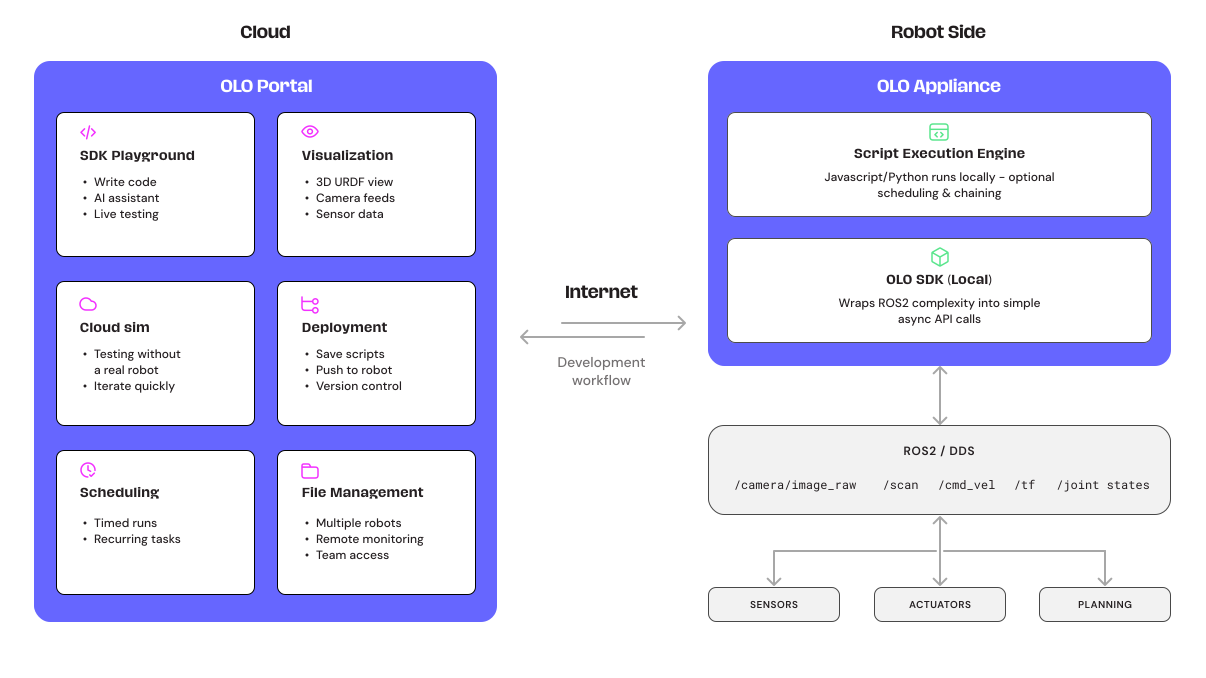
OLO covers that end to end: rehearse the route in simulation against a 3D model of your site, map the real environment, set the waypoints and what happens at each one, then let the robot run the round on its own while everything is recorded.
One platform. Any robot. No lock-in.
The established turnkey inspection systems are impressive, expensive, and tie you to a single vendor's robots and software. OLO is a software platform that works across manufacturers — so the hardware decision stays yours, now and at renewal time.
Explore the platformMix the fleet to fit the site
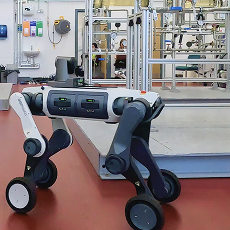
A robot dog for the stairs, a rover for the tank floor — different manufacturers, one platform, one way of working. Change hardware later without repurchasing your software.
Proven before it arrives
Every deployment is rehearsed in cloud simulation against a model of your site, so the first physical run verifies a routine that already works.
Room to grow
The same platform teleoperates arms mounted on mobile robots — missions can extend from observing a valve to operating one — and it's fully programmable underneath when you need something custom, by your engineers or ours.
What that gets you in practice
Data you can compare
Waypoint routes mean the same gauge is captured from the same position on every run. Trends stop hiding in the noise of who did the round and how.
Proof before deployment
Simulation runs the mission against a model of your site first. DarbyTech integrated robotic inspection into a live training rig in hours, not weeks, because the routine already worked virtually.
A browser, not a workstation
Watch, drive, and review from any machine with a URL. There's nothing to install and no specialist software for anyone to maintain.
It grows with the programme
Start with one robot and one route; add robots, sites, and tasks — even arms for missions that need hands — on the same platform and the same subscription model.
How it works
Every deployment follows the same five steps:
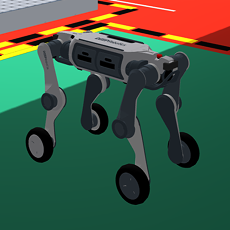
Simulate
Import a 3D model of your environment and run a trial inspection in cloud simulation, from the browser, before anything moves on site.
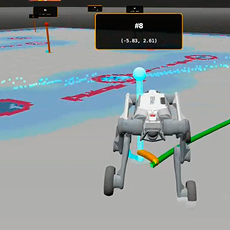
Map
Drive the robot through the real environment once and watch its live map build in the browser.
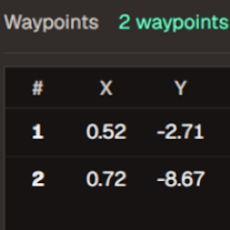
Configure
Place waypoints, define what happens at each stop, and set up the dashboard panels your team will watch.
Deploy
Schedule the inspection. The robot follows the route on its own, recording as it goes.
Analyse
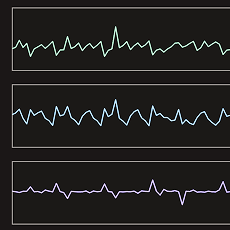
Review live feeds during the run, and the complete, timestamped recording afterwards — nothing missed, nothing lost.


Case study
How DarbyTech brought robotic inspection to industrial training — and skipped weeks of setup
Read the case studyHardware: bring a ROS 2 robot
Any robot with full ROS 2 support works in our platform. Where a robot needs assistance to get up and running, a small amount of engineering — from our team or yours — closes the gap, so you can make use of hardware you already own.
We also work with manufacturers and suppliers to ensure a range of robots have been tested in person by our team and receive native support.
DEEP Robotics — native support
Lite 3 and Lynx M20 work with OLO from first use, backed by manufacturing and distribution partnerships.
Unitree — native support
Established integration with the Go2 in versions with full SDK access like the Edu or enterprise.
Leo Rover
Fictionlab's ROS 2-native rover, which can ship bundled with OLO so teams program against the simulated rover before hardware arrives — and is perfect for cramped or hard to access inspection routes.
Any ROS 2 robot
Full ROS 2 support means it just works. Where a driver has gaps, we — or your own engineers — close them with a small, well-scoped piece of integration work.
Frequently asked questions
For the developersof robotics.
Test in simulation. Visualise, teleoperate and script in the browser. No installation required.